1
2
3
4
5
6
7
8
9
10
11
12
13
14
15
16
17
18
19
20
21
22
23
24
25
26
27
28
29
30
31
32
33
34
35
36
37
38
39
40
41
42
43
44
45
46
47
48
49
50
51
52
53
54
55
56
57
58
59
60
61
62
63
64
65
66
67
68
69
70
71
72
73
74
75
76
77
78
79
80
81
82
83
84
85
86
87
88
89
90
91
92
93
94
95
96
97
98
99
100
101
102
103
104
105
106
107
108
109
110
111
112
113
114
115
116
117
118
119
120
121
122
123
124
125
126
127
128
129
130
131
132
133
134
135
136
137
138
139
140
141
142
143
144
145
146
147
148
149
150
151
152
153
154
155
156
157
158
159
160
161
162
163
164
165
166
167
168
169
170
171
172
173
174
175
176
177
178
179
180
181
182
183
184
185
186
187
188
189
190
|
<div align="center">
<img alt="Astro Cactus logo" src="https://github.com/chrismwilliams/astro-theme-cactus/assets/12715988/85aa0d3c-ef6a-44e2-954d-ef035b4f4315" width="70" />
</div>
<h1 align="center">
Astro Cactus
</h1>
Astro Cactus is a simple opinionated starter built with [Astro](https://astro.build). Use it to create an easy-to-use blog or website.
## Table Of Contents
1. [Key Features](#key-features)
2. [Demo](#demo-)
3. [Quick start](#quick-start)
4. [Preview](#preview)
5. [Commands](#commands)
6. [Configure](#configure)
7. [Updating](#updating)
8. [Adding posts, notes, and tags](#adding-posts-notes-and-tags)
- [Post Frontmatter](#post-frontmatter)
- [Note Frontmatter](#note-frontmatter)
- [Tag Frontmatter](#tag-frontmatter)
- [Frontmatter Snippets](#frontmatter-snippets)
9. [Pagefind search](#pagefind-search)
10. [Analytics](#analytics)
11. [Deploy](#deploy)
12. [Acknowledgment](#acknowledgment)
## Key Features
- Astro v5 Fast 🚀
- Tailwind v4
- Accessible, semantic HTML markup
- Responsive & SEO-friendly
- Dark & Light mode
- MD & [MDX](https://docs.astro.build/en/guides/markdown-content/#mdx-only-features) posts & notes
- Includes [Admonitions](https://astro-cactus.chriswilliams.dev/posts/markdown-elements/admonitions/)
- [Satori](https://github.com/vercel/satori) for creating open graph png images
- [Automatic RSS feeds](https://docs.astro.build/en/guides/rss)
- [Webmentions](https://webmention.io/)
- Auto-generated:
- [sitemap](https://docs.astro.build/en/guides/integrations-guide/sitemap/)
- [robots.txt](https://github.com/alextim/astro-lib/blob/main/packages/astro-robots-txt/README.md)
- [web app manifest](https://github.com/alextim/astro-lib/blob/main/packages/astro-webmanifest/README.md)
- [Pagefind](https://pagefind.app/) static search library integration
- [Astro Icon](https://github.com/natemoo-re/astro-icon) svg icon component
- [Expressive Code](https://expressive-code.com/) code blocks and syntax highlighter
## Demo 💻
Check out the [Demo](https://astro-cactus.chriswilliams.dev/), hosted on Netlify
## Quick start
[Create a new repo](https://github.com/chrismwilliams/astro-theme-cactus/generate) from this template.
```bash
# npm 7+
npm create astro@latest -- --template chrismwilliams/astro-theme-cactus
# pnpm
pnpm dlx create-astro --template chrismwilliams/astro-theme-cactus
```
[](https://app.netlify.com/start/deploy?repository=https://github.com/chrismwilliams/astro-theme-cactus) [](https://vercel.com/new/clone?repository-url=https%3A%2F%2Fgithub.com%2Fchrismwilliams%2Fastro-theme-cactus&project-name=astro-theme-cactus)
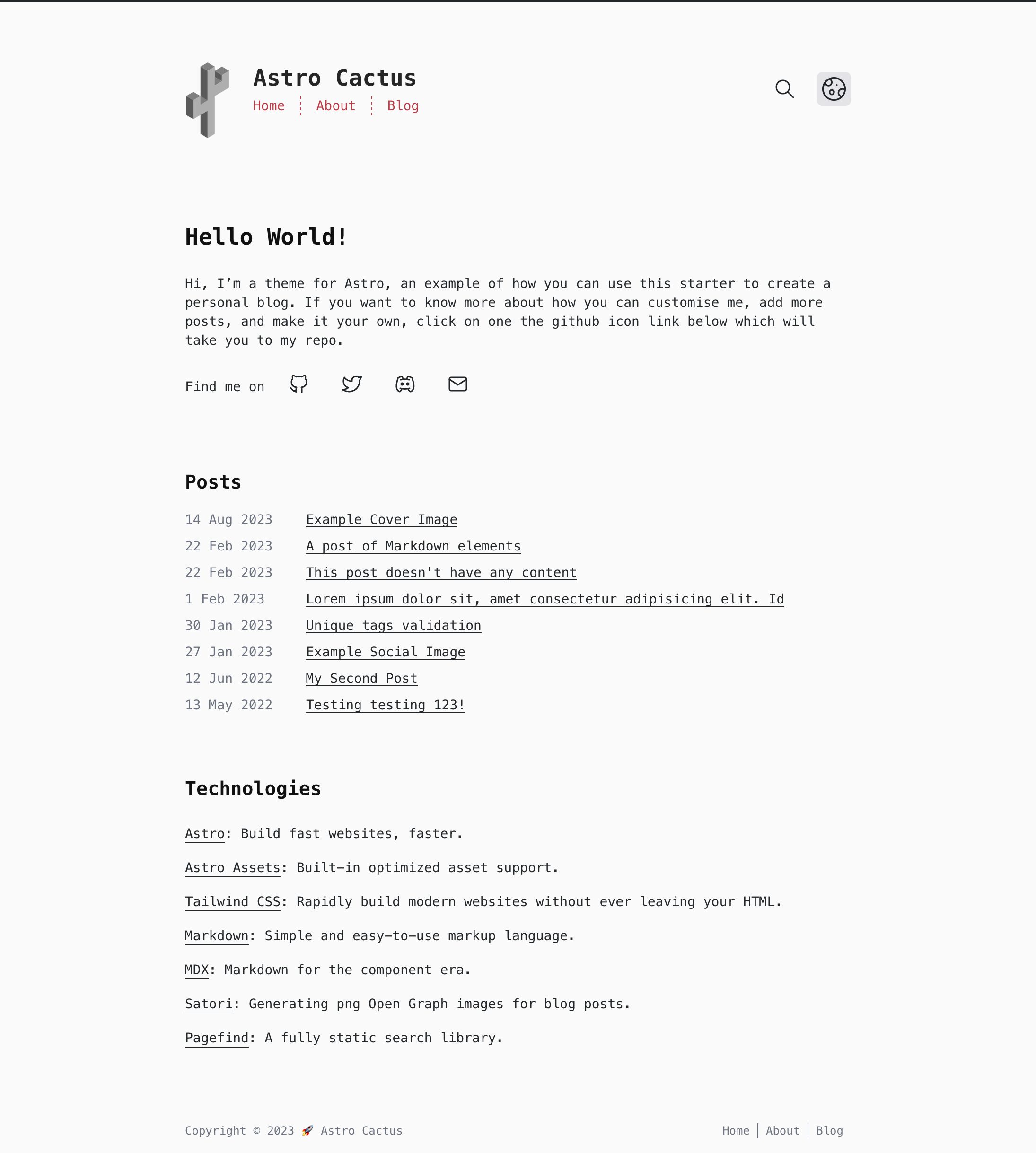
## Preview

## Commands
Replace pnpm with your choice of npm / yarn
| Command | Action |
| :--------------- | :------------------------------------------------------------- |
| `pnpm install` | Installs dependencies |
| `pnpm dev` | Starts local dev server at `localhost:3000` |
| `pnpm build` | Build your production site to `./dist/` |
| `pnpm postbuild` | Pagefind script to build the static search of your blog posts |
| `pnpm preview` | Preview your build locally, before deploying |
| `pnpm sync` | Generate types based on your config in `src/content/config.ts` |
## Configure
- Edit the template's config file `src/site.config.ts`
- **Important**: set the url property with your own domain.
- Modify the settings for markdown code blocks, generated by [Expressive Code](https://expressive-code.com). Astro Cactus has both a dark (dracula) and light (github-light) theme. You can find more options [@ expressive-code](https://expressive-code.com/guides/themes/#available-themes).
- Update file `astro.config.ts`
- [astro-webmanifest options](https://github.com/alextim/astro-lib/blob/main/packages/astro-webmanifest/README.md)
- Replace & update files within the `/public` folder:
- icon.svg - used as the source to create favicons & manifest icons
- social-card.png - used as the default og:image
- Modify file `src/styles/global.css` with your own light and dark styles, and customise [Tailwind's theme settings](https://tailwindcss.com/docs/theme#customizing-your-theme).
- Edit social links in `src/components/SocialList.astro` to add/replace your media profile. Icons can be found @ [icones.js.org](https://icones.js.org/), per [Astro Icon's instructions](https://www.astroicon.dev/guides/customization/#find-an-icon-set).
- Create/edit posts & notes for your blog within `src/content/post/` & `src/content/note/` with .md/mdx file(s). See [below](#adding-posts-notes-and-tags) for more details.
- Read [this post](http://astro-cactus.chriswilliams.dev/posts/webmentions/) for adding webmentions to your site.
- Add any custom Tag pages for related blog posts in `/src/content/tag/`, ensuring that the file name is the same as the tag.
- OG Image:
- If you would like to change the style of the generated image the Satori library creates, open up `src/pages/og-image/[slug].png.ts` to the markup function where you can edit the html/tailwind-classes as necessary. You can use this [playground](https://og-playground.vercel.app/) to aid your design.
- You can also create your own og images and skip satori generating it for you by adding an ogImage property in the frontmatter with a link to the asset, an example can be found in `src/content/post/social-image.md`. More info on frontmatter can be found [below](#post-frontmatter)
- Optional:
- Fonts: This theme sets the body element to the font family `font-mono`, in `src/layouts/Base.astro` on the `<body>`. You can change fonts by removing the variant `font-mono`, after which TailwindCSS will default to the `font-sans` [font family stack](https://tailwindcss.com/docs/font-family).
## Updating
If you've forked the template, you can [sync the fork](https://docs.github.com/en/pull-requests/collaborating-with-pull-requests/working-with-forks/syncing-a-fork) with your own project, remembering to **not** click Discard Changes as you will lose your own.
If you have a template repository, you can add this template as a remote, [as discussed here](https://stackoverflow.com/questions/56577184/github-pull-changes-from-a-template-repository).
## Adding posts, notes, and tags
This theme uses [Content Collections](https://docs.astro.build/en/guides/content-collections/) to organise local Markdown and MDX files, as well as type-checking frontmatter with a schema -> `src/content.config.ts`.
Adding a post/note/tag is as simple as adding your .md(x) files to either `src/content/post`, `src/content/note`, and `src/content/tag` folders, the filename of which will be used as the slug/url.
The Tag collection allows you to override the content for generated tag pages. For example the template includes `src/content/tag/test.md` which overrides the content shown in `your-domain.com/tags/test`.
> **Note**
> For a tag page to work, the file name (`src/content/tag/*`) must also be in a post's [tags frontmatter.](#post-frontmatter)
The posts/notes/tags included with this template are there as an example of how to structure your frontmatter. Additionally, the [Astro docs](https://docs.astro.build/en/guides/markdown-content/) has a detailed section on markdown pages.
### Post Frontmatter
| Property (\* required) | Description |
| ---------------------- | ------------------------------------------------------------------------------------------------------------------------------------------------------------------------------------------------------------------------------------------------------------------------------------------------------------ |
| title \* | Self explanatory. Used as the text link to the post, the h1 on the posts' page, and the pages title property. Has a max length of 60 chars, set in `src/content/config.ts` |
| description \* | Similar to above, used as the seo description property. Has a min length of 50 and a max length of 160 chars, set in the post schema. |
| publishDate \* | Again pretty simple. To change the date format/locale, currently **en-GB**, update the date option in `src/site.config.ts`. Note you can also pass additional options to the component `<FormattedDate>` if required. |
| updatedDate | This is an optional date representing when a post has been updated, in the same format as the publishDate. |
| tags | Tags are optional with any created post. Any new tag(s) will be shown in `your-domain.com/posts` & `your-domain.com/tags`, and generate the page(s) `your-domain.com/tags/[yourTag]` |
| coverImage | This is an optional object that will add a cover image to the top of a post. Include both a `src`: "_path-to-image_" and `alt`: "_image alt_". You can view an example in `src/content/post/cover-image.md`. |
| ogImage | This is an optional property. An OG Image will be generated automatically for every post where this property **isn't** provided. If you would like to create your own for a specific post, include this property and a link to your image, the theme will then skip automatically generating one. |
| draft | This is an optional property as it is set to false by default in the schema. By adding true, the post will be filtered out of the production build in a number of places, inc. getAllPosts() calls, og-images, rss feeds, and generated page[s]. You can view an example in `src/content/post/draft-post.md` |
### Note Frontmatter
| Property (\* required) | Description |
| ---------------------- | --------------------------------------------------------------------------------------------------------------------- |
| title \* | Used as the link text to the note, the pages title property, and the h1 of said note page. Has a max length 60 chars. |
| description | Optional. Used for the head meta description property. |
| publishDate \* | ISO 8601 format with offsets allowed. |
### Tag Frontmatter
| Property (\* required) | Description |
| ---------------------- | ------------------------------------------------------------------------------------------------------- |
| title | Optional. Used as the h1 on the tags' page, and the pages title property. Has a max length of 60 chars. |
| description | Optional. Used for the head meta description and the first paragraph under the h1. |
### Frontmatter snippets
Astro Cactus includes a helpful VSCode snippet which creates a frontmatter 'stub' for posts and note's, found here -> `.vscode/post.code-snippets`. Start typing the word `frontmatter` on your newly created .md(x) file to trigger it. Visual Studio Code snippets appear in IntelliSense via (⌃Space) on mac, (Ctrl+Space) on windows.
## Pagefind search
This integration brings a static search feature for searching blog posts and notes. In its current form, pagefind only works once the site has been built. This theme adds a postbuild script that should be run after Astro has built the site. You can preview locally by running both build && postbuild.
Search results only includes pages from posts and notes. If you would like to include other/all your pages, remove/re-locate the attribute `data-pagefind-body` to the article tag found in `src/layouts/BlogPost.astro` and `src/components/note/Note.astro`.
It also allows you to filter posts by tags added in the frontmatter of blog posts. If you would rather remove this, remove the data attribute `data-pagefind-filter="tag"` from the link in `src/components/blog/Masthead.astro`.
If you would rather not include this integration, simply remove the component `src/components/Search.astro`, and uninstall both `@pagefind/default-ui` & `pagefind` from package.json. You will also need to remove the postbuild script from here as well.
You can reduce the initial css payload of your css, [as demonstrated here](https://github.com/chrismwilliams/astro-theme-cactus/pull/145#issue-1943779868), by lazy loading the web components styles.
## Analytics
You may want to track the number of visitors you receive to your blog/website in order to understand trends and popular posts/pages you've created. There are a number of providers out there one could use, including web hosts such as [vercel](https://vercel.com/analytics), [netlify](https://www.netlify.com/products/analytics/), and [cloudflare](https://www.cloudflare.com/web-analytics/).
This theme/template doesn't include a specific solution due to there being a number of use cases and/or options which some people may or may not use.
You may be asked to included a snippet inside the **HEAD** tag of your website when setting it up, which can be found in `src/layouts/Base.astro`. Alternatively, you can add the snippet in `src/components/BaseHead.astro`.
## Deploy
[Astro docs](https://docs.astro.build/en/guides/deploy/) has a great section and breakdown of how to deploy your own Astro site on various platforms and their idiosyncrasies.
By default the site will be built (see [Commands](#commands) section above) to a `/dist` directory.
## Acknowledgment
This theme was inspired by [Hexo Theme Cactus](https://github.com/probberechts/hexo-theme-cactus)
## License
MIT
|
